
reshade presets
FiveM Reshade Presets for Realistic Screenshots
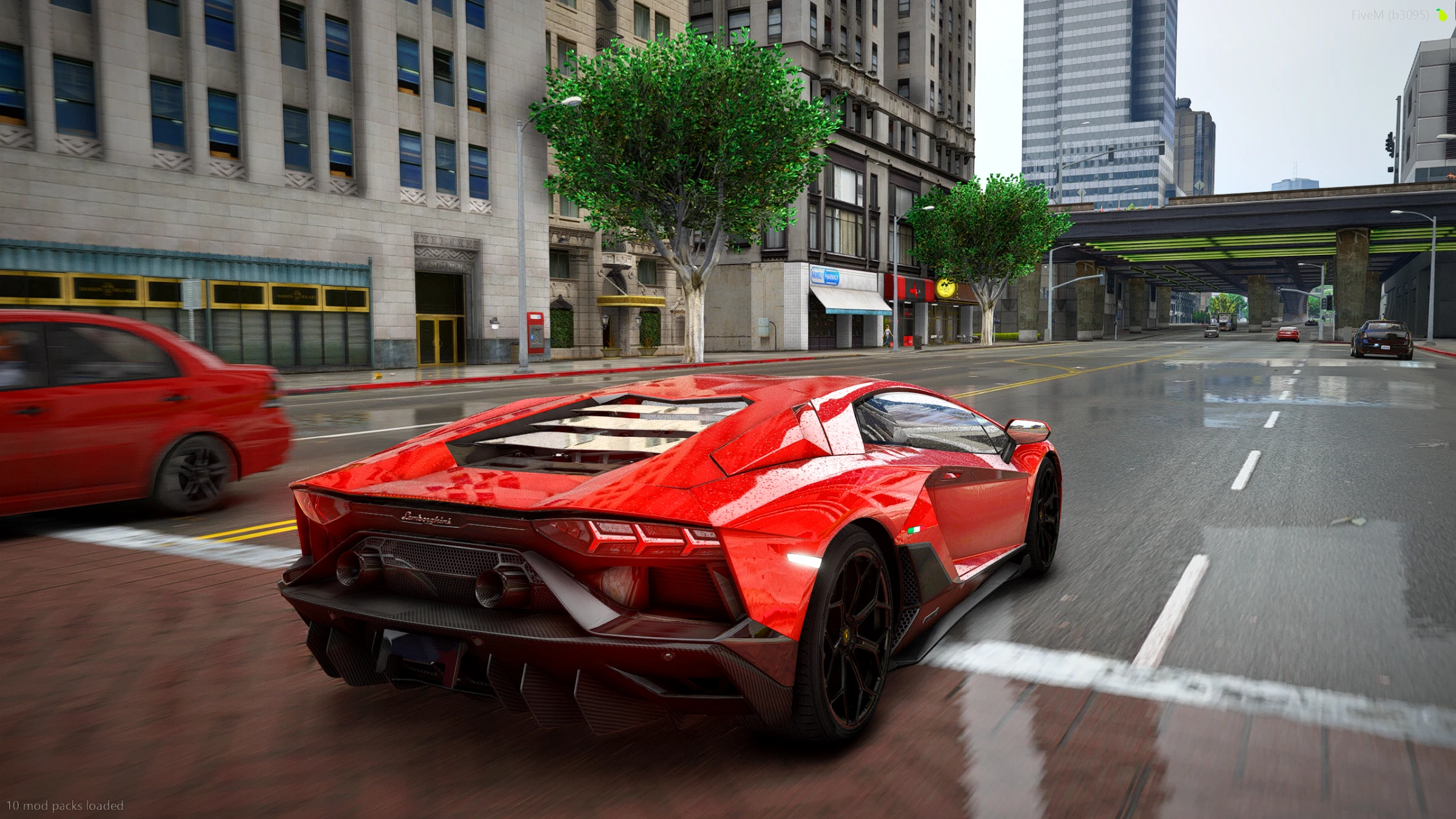
Use a Reshade preset when you want color, contrast, and screenshot polish. Use a graphics pack when you want the whole game to change.
Players search for realistic FiveM Reshade presets when they already have a setup but want screenshots to feel cleaner. A preset changes the finish: color, contrast, bloom, sharpness, and mood.
When a preset is the right choice
- You want car screenshots to look cleaner.
- You want roleplay promo images with stronger color.
- You already like your base graphics pack.
- You want a QuantV or CoreFx style without rebuilding everything from scratch.
When a graphics pack is better
If default FiveM still looks flat, a preset alone may not fix it. Start with a graphics pack for lighting, roads, reflections, and weather, then use a preset for the final style.
Prime recommendation
Choose CoreFx V3 for a clean CoreFx preset look. Choose QuantV V2 if you want brighter, more polished screenshots. Choose QuantV V1 if you want a darker cinematic base.
Pick a preset by outcome
Start with the product page closest to the screenshot style you want.
Questions this guide answers
- What is the best realistic FiveM Reshade preset?
- Should I use Reshade or a graphics pack for FiveM?
- What preset should I use for realistic FiveM screenshots?
Quick answers
What does a Reshade preset change?
A Reshade preset mainly changes the finish: color, contrast, sharpness, bloom, exposure, and mood. It does not replace the full base graphics of the game.
When is a graphics pack better?
Use a graphics pack when roads, lighting, reflections, weather, and the base world still look default. Use a preset when the base already looks good and you only want a stronger screenshot style.
Which Prime preset should I start with?
Start with CoreFx V3 for a clean CoreFx look, QuantV V2 for brighter polished screenshots, or QuantV V1 for a darker cinematic style.